Enrollments
Before you can bill a payer electronically, you register your practice with the clearinghouse and enroll for the transactions you need with each payer. You manage all of this on the Enrollments page (Practice Settings → Enrollments).
Before you begin
Complete your practice settings first — clearinghouse registration uses your practice details, including your NPI and Tax ID.
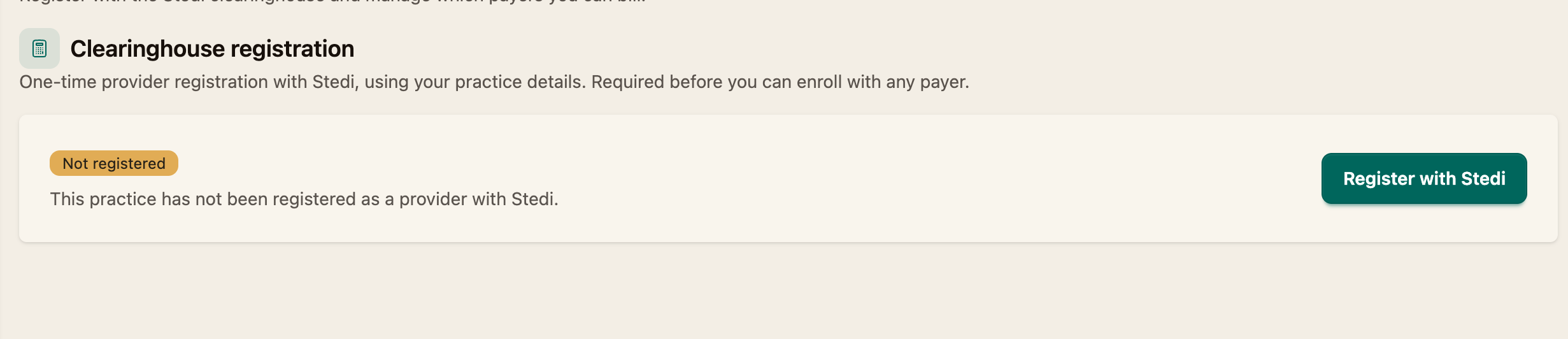
Step 1 — Register with the clearinghouse
Clearinghouse registration is a one-time provider registration that uses your practice details. It's required before you can enroll with any payer.
Once complete, this section shows Registered along with your provider ID, practice name, NPI, and Tax ID.
Step 2 — Find a payer
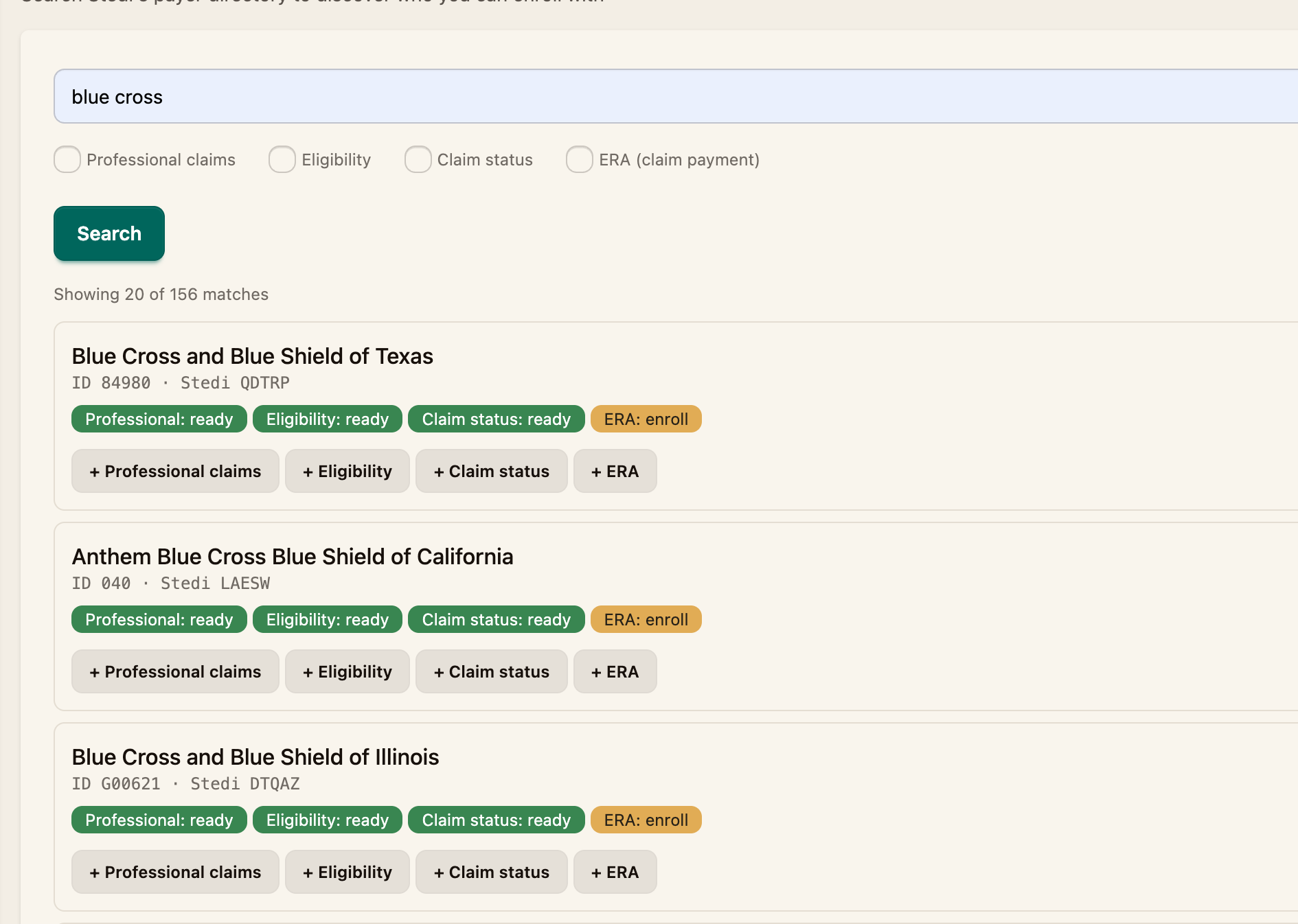
Under Find a payer, search the payer directory to discover who you can enroll with. Choose the transaction types you need before searching:
- Professional claims — submitting claims
- Eligibility — checking patient coverage
- Claim status — checking the status of a submitted claim
- ERA (claim payment) — receiving electronic remittance (payment) reports
Enter the payer and click Search.
Step 3 — Track your enrollments
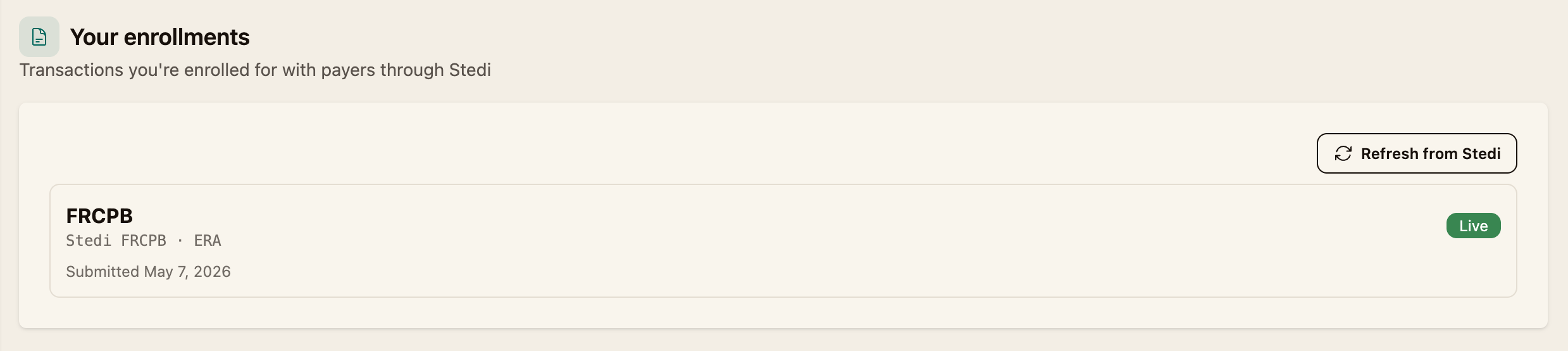
Enrollments you've requested appear under Your enrollments, each showing the payer, the transaction type, and its status (for example, Live) with the date it was submitted. Click Refresh to pull the latest status.
Some enrollments are approved instantly, while others take time for the payer to process. For most payers, you can submit claims, run eligibility checks and check claim status without enrolling. However, to recieve ERAs you will need to enroll with the respective payer to be able to recieve them.
Payers only support one ERA enrollment at a time. If you are already receiving ERAs in your PMS or another location, enrolling for ERAs through Coral will mean all your ERAs for that payer (dental & medical) will be routed to Coral. Enrolling for ERAs should have no effect on receiving EOBs from a payer
Next steps
- Add patients and their coverage (Adding Your First Patient, Adding a Medical Insurance Card)
- Submit your first claim (How to Submit a Claim)