Adding Custom Codes
Coral includes a full library of standard CDT, CPT/HCPCS, and ICD-10 codes. If your practice needs a code that isn't in the library, you can add your own under Practice Settings → Procedures & Codes.
Browse and search codes
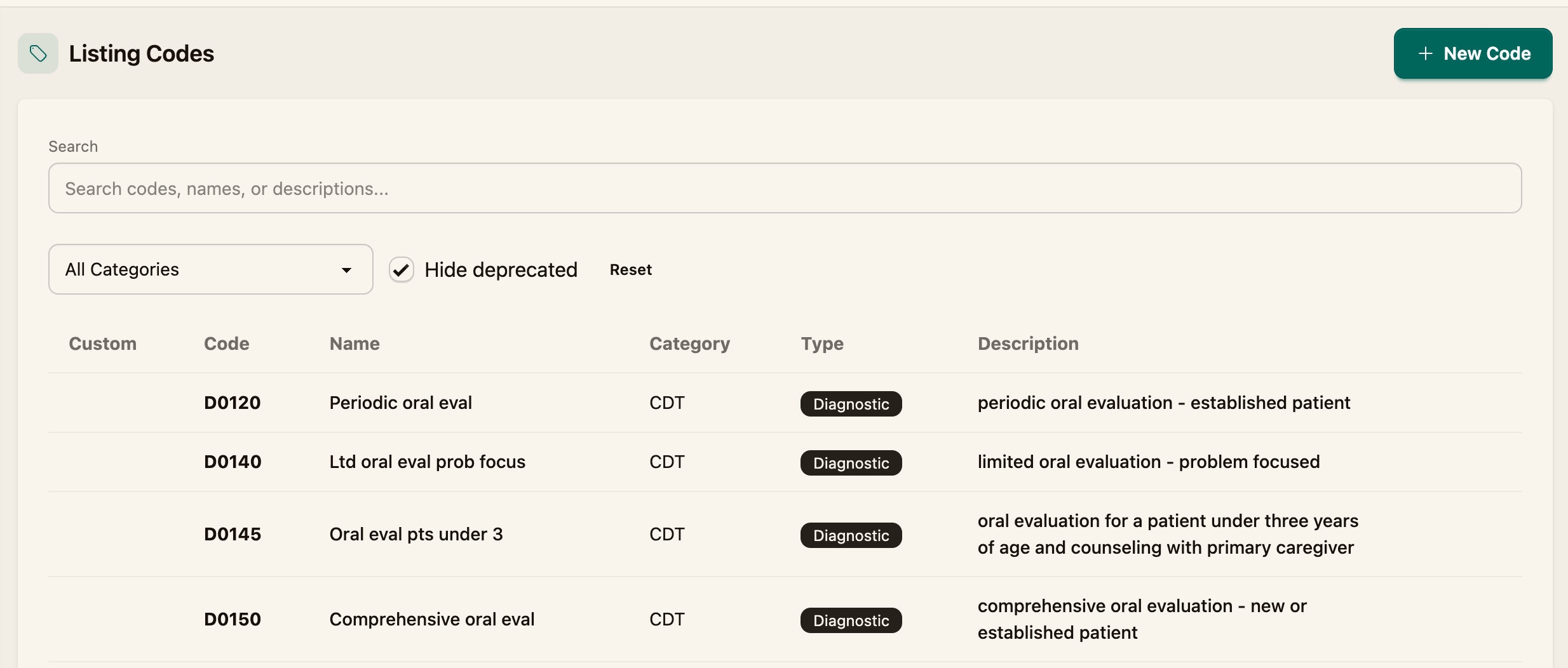
The Procedures & Codes page lists every code available to your practice. Use the search box and the category filters (CDT, CPT/HCPCS, ICD10) to find a code, and Hide deprecated to leave out retired ones.
Add a custom code
Step 1 — Start a new code
Click New Code.
Step 2 — Fill in the code details
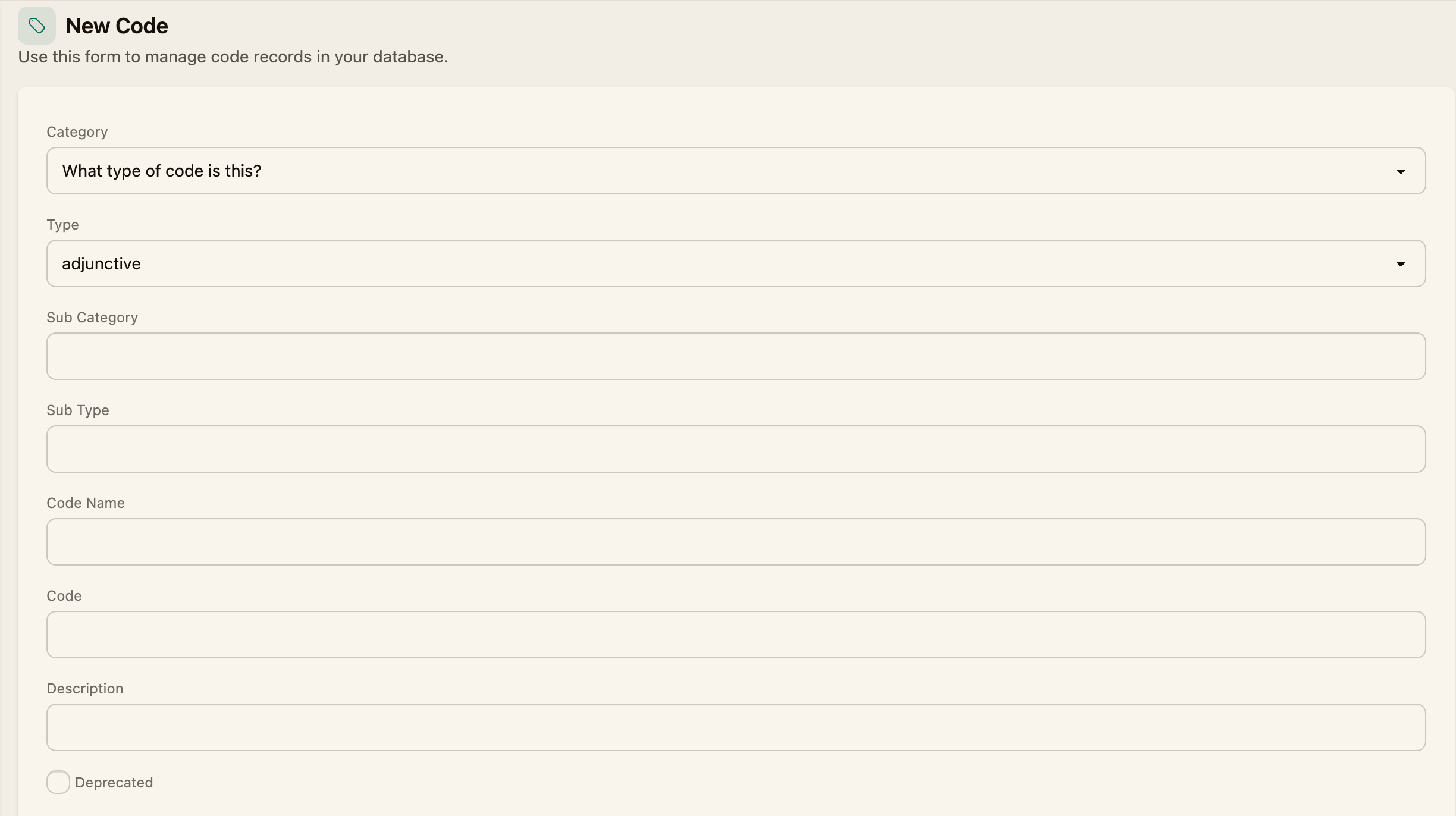
Complete the form:
- Category — the type of code: CDT, CPT/HCPCS, or ICD10
- Type — the clinical category (for example, diagnostic, restorative, endodontics, periodontics)
- Sub Category and Sub Type — optional finer classification
- Code Name — a short label
- Code — the code itself
- Description — the full description
Step 3 — Save
Click Save Code. The code is now available throughout Coral — including when adding procedures, building claims, and setting fees.
If a code is no longer used, edit it and mark it Deprecated instead of deleting it — deprecated codes stay out of the way (hidden by Hide deprecated) without breaking records that already reference them.
Related
- Use codes on a visit (Adding Procedures)
- Set fees for your codes (Managing Fee Schedules)